Callgent offers simple and flexible monetization options! With just a few minutes of configuration, your Callgent can start generating revenue!
This article assumes you already know how to create a Callgent
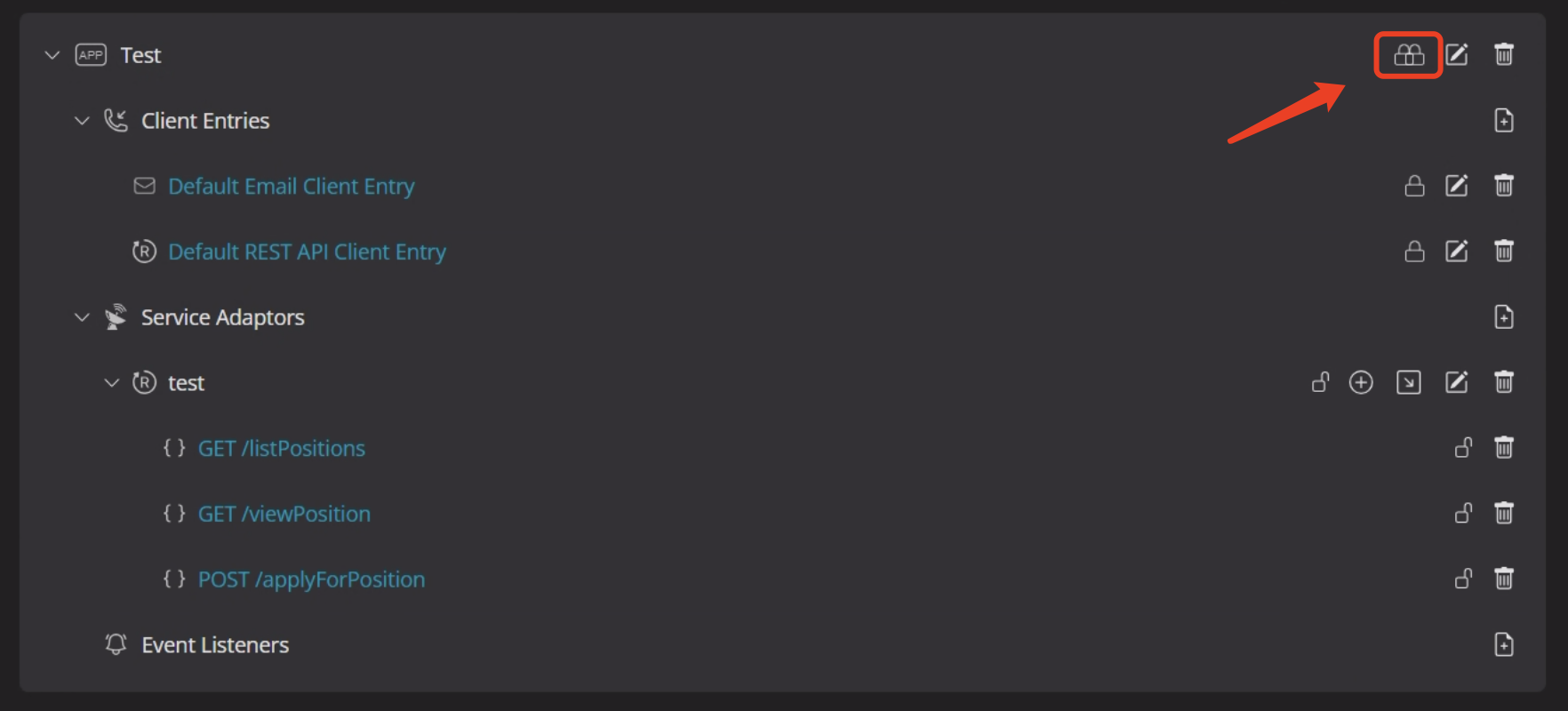
Set up authentication to ensure service security and specify who pays for the request. Different types of locks indicate different roles.
Client Entries: Used for identity verification. If the lock is open, the creator pays; if closed, the caller pays by default. Of cause you may specify a fixed payer.
Service Adaptors: Indicate how the current request will be charged.
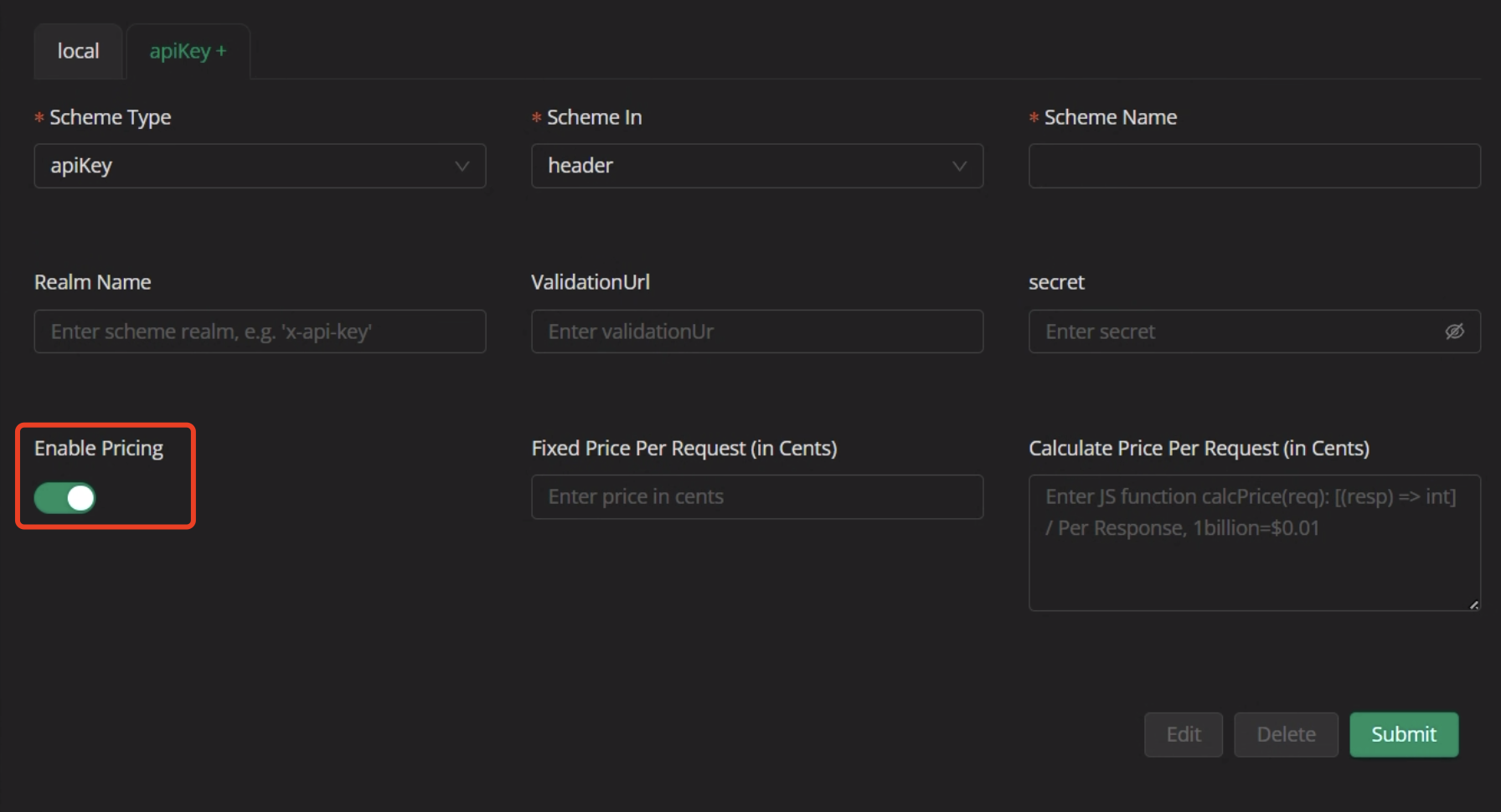
Charge a fixed amount per API call. Suitable for standardized services.
- Use Case: Fixed, predictable query services
- Example: $0.01 per call
- How to Set: Simply input the amount in the pricing field
Charge based on token usage. Best for dynamic content services like text generation or translation.
- Use Case: Services with variable-length output
- Example Code:
// Charge $0.0002 per token
function calcPrice(req) {
  return req.tokenUsage * 0.0002;
}
In Figure 1 test, find the newly imported API. Click the lock icon, choose your authentication method, and confirm the lock is closed to complete the setup.
How to import an API?
Once setup is complete, you can your Callgent service for users to call.
Learn more: Call the Callgent
- Zero Coding Required: Start monetizing without writing any code
- Instant Activation: Monetization takes effect immediately upon setup
- Full Transparency: Users can clearly see the cost breakdown
- Flexible Options: Choose the billing method that best fits your service
- Transaction Details: View your income and expense records
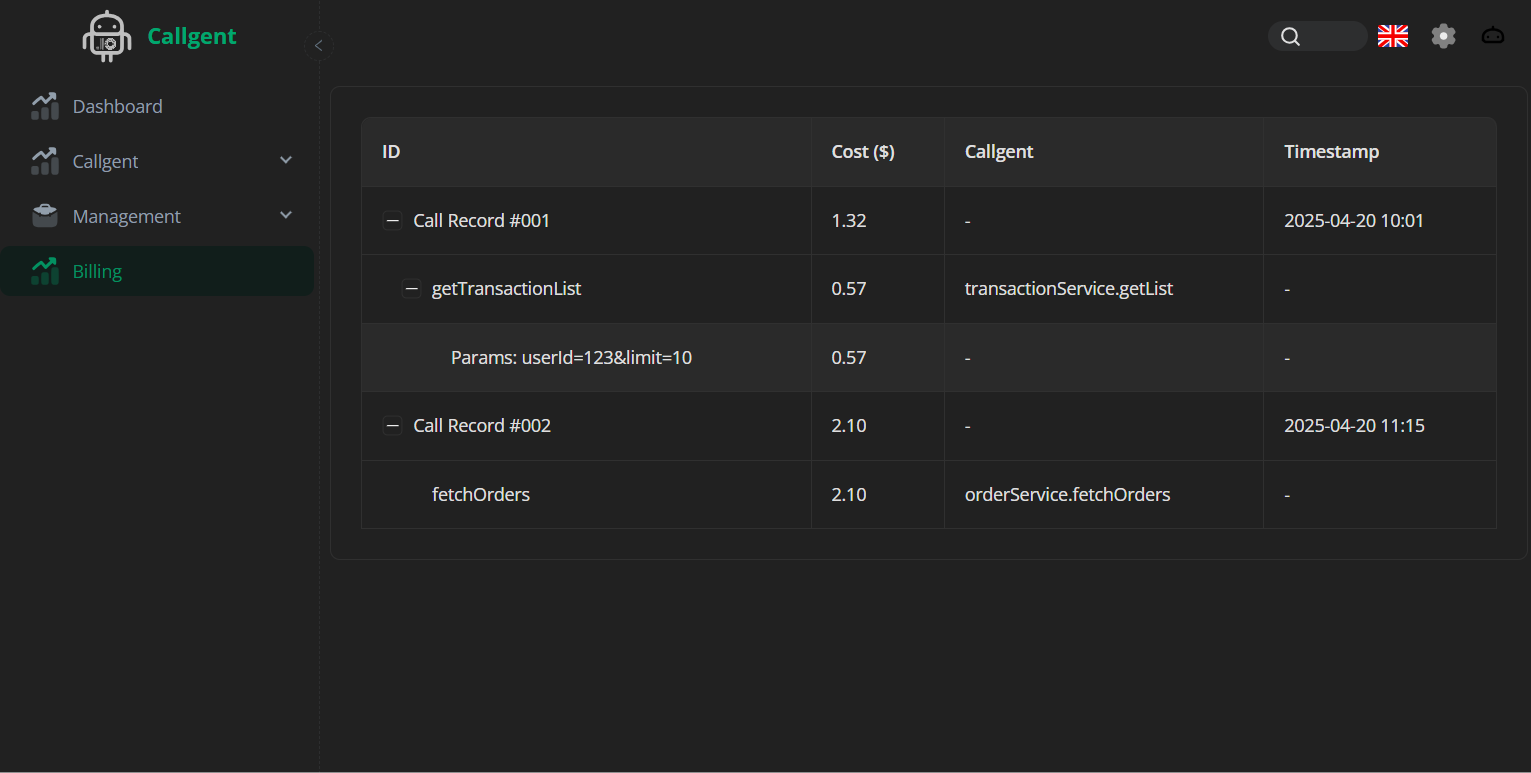
With Callgent's powerful monetization tools, turn your AI agent into a revenue-generating machine. Get started now! 🚀
The next step is how to promote my cg service based on the interface/tag on the hub.
How to promote my CG service on the hub based on interface or tag.